> ## Documentation Index
> Fetch the complete documentation index at: https://fossorial-docs-pangolin-helm-devel-prerelease.mintlify.site/llms.txt
> Use this file to discover all available pages before exploring further.
# Introduction to Pangolin
> Connect and protect your users with an open-source networking and security platform
Pangolin is an open-source SASE platform with one mission: connect and protect your users, wherever they are.
It treats networking and security as a single system. Identity, sites, access control, privileged access, and an identity-aware AI gateway share one policy model. The idea is the same as platforms like Cloudflare One, Zscaler, and Prisma Access, but Pangolin is open, self-hostable, and built to stay light enough that administrators actually enjoy running it.
 ## Why Pangolin Exists
Legacy SASE platforms got the idea right: connectivity and security belong together. They delivered it as a heavyweight, closed, cloud-locked stack. Pangolin does that unification in the open, on infrastructure you control, and simple enough to deploy yourself.
* **Open source and auditable.** You can see how traffic is handled and how access decisions get made.
* **Networking and security as one platform.** Connecting users and protecting them happen together, with one identity and policy model.
* **Lightweight by design.** The control plane runs on a modest server. A user-space connector sits in your private networks.
* **Zero trust from day one.** Access is granted per resource, with identity providers, roles, and audit logs.
* **Run it your way.** Self-host or use [Pangolin Cloud](https://app.pangolin.net/auth/signup).
## Core Concepts
Pangolin is organized around a few pieces you will use everywhere:
1. A **server** is the control plane. It holds identity, policy, and coordination. You can use [Pangolin Cloud](/about/pangolin-cloud-vs-self-hosted) or [self-host](/self-host/quick-install) the same software.
2. **[Sites](/manage/sites/understanding-sites)** connect the networks where your applications and infrastructure live.
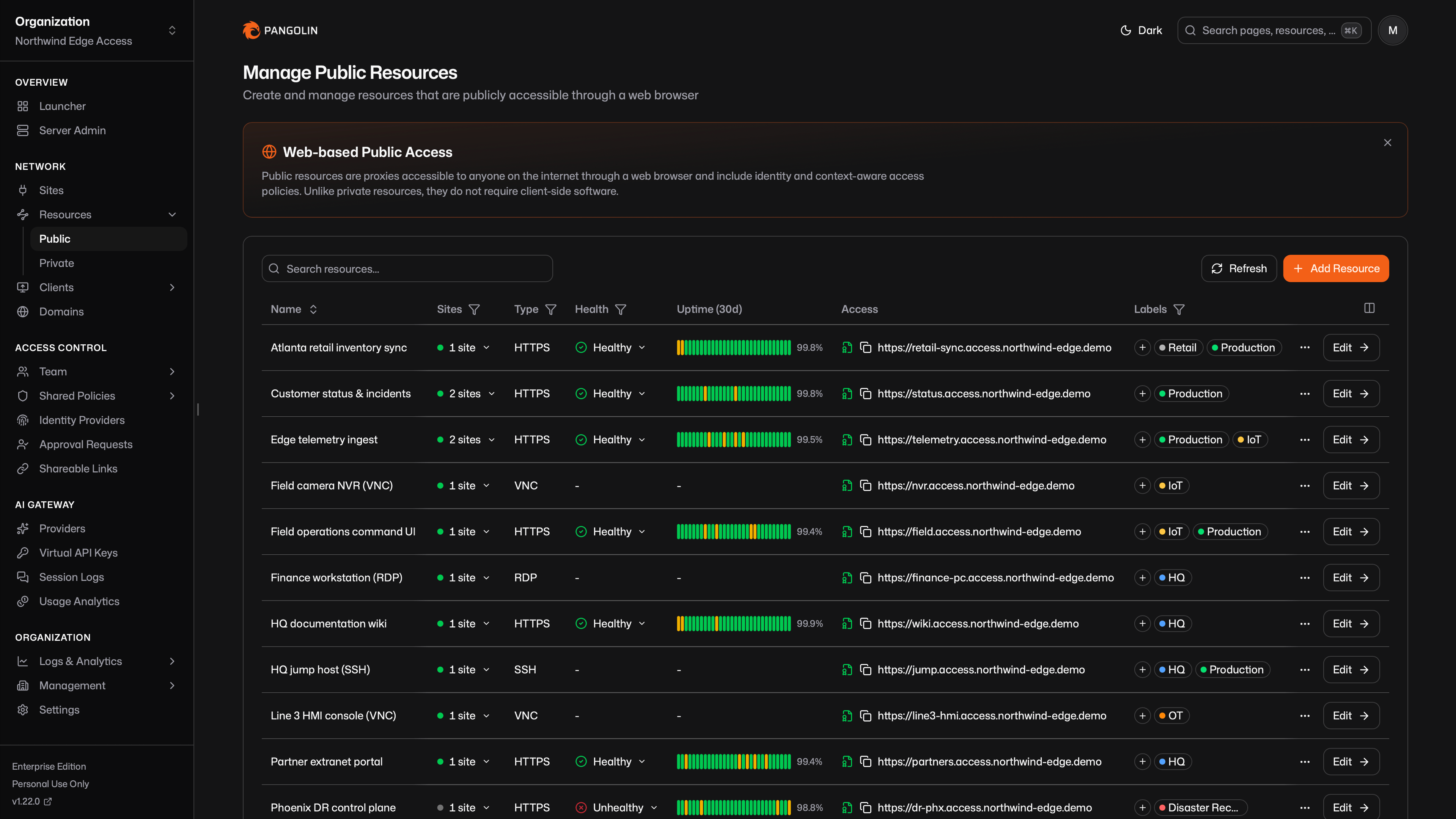
3. **[Resources](/manage/resources/understanding-resources)** are the specific things users are allowed to reach: web apps, SSH, desktops, private hosts, and AI providers.
4. **[Clients](/manage/clients/understanding-clients)** give devices a private path to those resources.
Learn the fundamentals: server, sites, resources, clients, and how they fit together.
## Explore the Platform
Connect private networks with lightweight connectors so authorized users can reach what lives there.
Define the apps, hosts, SSH sessions, desktops, and AI endpoints users can access.
Use built-in users or your identity provider. Grant roles per resource and keep an audit trail.
Put identity, budgets, and session history in front of cloud and self-hosted model APIs.
## Keep Reading
Choose a managed control plane or run the same software on your own infrastructure.
How Pangolin relates to traditional reverse proxies and VPNs, and what it does beyond either.
How Pangolin's identity-aware AI Gateway compares to dedicated LLM gateways.
A technical picture of the control plane, nodes, connectors, and how traffic moves.
## Deployment Options
See [Cloud vs. Self-Hosted](/about/pangolin-cloud-vs-self-hosted) for the differences, including [remote nodes](/manage/remote-node/understanding-nodes) as a hybrid.
A managed control plane. Install sites and clients, then define resources. Optionally self-host a node to keep traffic on your network.
Run a fully isolated Pangolin server. Install Community Edition or Enterprise Edition with the quick installer.
## Why Pangolin Exists
Legacy SASE platforms got the idea right: connectivity and security belong together. They delivered it as a heavyweight, closed, cloud-locked stack. Pangolin does that unification in the open, on infrastructure you control, and simple enough to deploy yourself.
* **Open source and auditable.** You can see how traffic is handled and how access decisions get made.
* **Networking and security as one platform.** Connecting users and protecting them happen together, with one identity and policy model.
* **Lightweight by design.** The control plane runs on a modest server. A user-space connector sits in your private networks.
* **Zero trust from day one.** Access is granted per resource, with identity providers, roles, and audit logs.
* **Run it your way.** Self-host or use [Pangolin Cloud](https://app.pangolin.net/auth/signup).
## Core Concepts
Pangolin is organized around a few pieces you will use everywhere:
1. A **server** is the control plane. It holds identity, policy, and coordination. You can use [Pangolin Cloud](/about/pangolin-cloud-vs-self-hosted) or [self-host](/self-host/quick-install) the same software.
2. **[Sites](/manage/sites/understanding-sites)** connect the networks where your applications and infrastructure live.
3. **[Resources](/manage/resources/understanding-resources)** are the specific things users are allowed to reach: web apps, SSH, desktops, private hosts, and AI providers.
4. **[Clients](/manage/clients/understanding-clients)** give devices a private path to those resources.
Learn the fundamentals: server, sites, resources, clients, and how they fit together.
## Explore the Platform
Connect private networks with lightweight connectors so authorized users can reach what lives there.
Define the apps, hosts, SSH sessions, desktops, and AI endpoints users can access.
Use built-in users or your identity provider. Grant roles per resource and keep an audit trail.
Put identity, budgets, and session history in front of cloud and self-hosted model APIs.
## Keep Reading
Choose a managed control plane or run the same software on your own infrastructure.
How Pangolin relates to traditional reverse proxies and VPNs, and what it does beyond either.
How Pangolin's identity-aware AI Gateway compares to dedicated LLM gateways.
A technical picture of the control plane, nodes, connectors, and how traffic moves.
## Deployment Options
See [Cloud vs. Self-Hosted](/about/pangolin-cloud-vs-self-hosted) for the differences, including [remote nodes](/manage/remote-node/understanding-nodes) as a hybrid.
A managed control plane. Install sites and clients, then define resources. Optionally self-host a node to keep traffic on your network.
Run a fully isolated Pangolin server. Install Community Edition or Enterprise Edition with the quick installer.